


Limit orders
Buy or sell at a price you choose, then walk away. A buy order waits below the floor until someone sells into it. A sell order waits above it until someone buys.
Two kinds of orders
| Buy order | Sell order | |
|---|---|---|
| What it is | A collection offer at your price: any NFT of the collection can fill it | One NFT you hold, listed at your price |
| Fills when | A holder sells into your offer | A buyer takes your listing |
| You can set | Price per item, how many items, how long it lasts | Price, how long it lasts |
| Lasts | 1, 7 or 30 days, or until you cancel | 1, 7 or 30 days, or until you cancel |
Where orders live
| Collection | Buy order | Sell order |
|---|---|---|
 Ethereum Ethereum Base Base Robinhood Chain Robinhood Chain | A collection offer on  OpenSea OpenSea | A listing on OpenSea |
| Collections launched on mints | On the mints order book | A mints listing |
| Other Solana collections | Not supported | Not supported |
Orders on OpenSea are visible everywhere OpenSea orders are, so a buyer on another site can fill your listing too. Orders on the mints order book are filled on mints.
Place a buy order
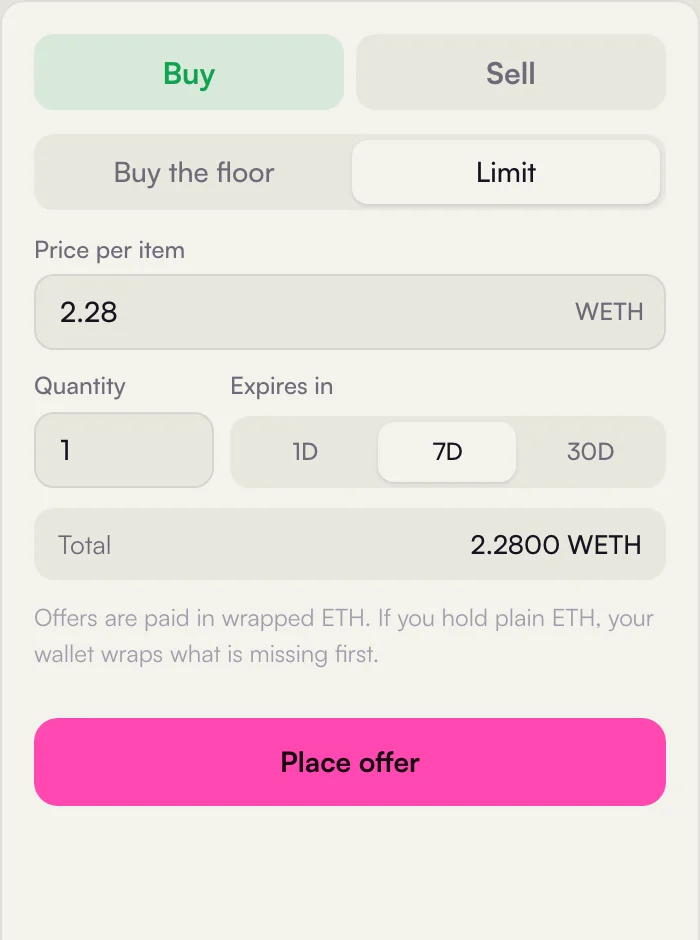
- 1Buy and Sell the two sides of the trade panel.
- 2Limit switch from Buy the floor to an offer at your price.
- 3Price per item starts at 95% of the floor, in wrapped ETH.
- 4Quantity how many NFTs the offer may buy, up to 20.
- 5Expires in 1, 7 or 30 days.
- 6Total price times quantity: the most the offer can spend.
- 7Wrapping what happens if you hold plain ETH.
- 8Place offer sign the offer in MetaMask.
- Open the Limit tab
In the right column of a collection page, switch from Buy the floor to Limit.
- Set price, quantity and duration
The price starts at 95% of the floor. The total is price times quantity, up to 20 items. Offers on the EVM chains are paid in wrapped ETH (WETH). If you only hold plain ETH, your wallet first wraps the missing amount in a separate transaction.
- Sign in MetaMask
The offer itself is a signature, not a transaction: it costs no gas and nothing leaves your wallet until it fills.
Place a sell order
- Open the Sell tab
It lists the NFTs of this collection in your wallet. Next to each one you see the best offer on it, if there is one.
- Sell now or List
Sell accepts the best offer right away. List lets you set your own price and duration.
- Approve once, then sign
The first listing in a collection asks your wallet to approve the marketplace for it. After that, each listing is one signature.
When an order shows on mints
Orders placed on mints count as trades on mints when they fill. A sale into the best offer from the Sell tab counts once the receipt shows the NFT left your wallet. A listing or a collection offer you placed here counts when the market fills it and the sale shows up. Then it appears in Sales, the Feed and the leaderboard like any other trade on mints.
Your orders
Open orders of the wallet you signed in with show under Your orders on the collection page, with their price and when they end. Cancel removes an order. Cancelling an OpenSea order may need a small transaction, because the order is signed and could otherwise still be filled.