Getting started
Your wallet is your account. Connect it, sign one short message, and you can buy, post a thesis and launch. No email, no password, nothing to deposit.
Pick a wallet
mints works with two wallets. Which one you need depends on the chain of the collection.
| Wallet | Chains | Used for |
|---|---|---|
 Phantom Phantom |  Solana Solana | Solana collections, minting and launching on the launchpad |
 MetaMask MetaMask |  Ethereum Ethereum Base Base Robinhood Chain Robinhood Chain | Collections on the three EVM chains |
You can use both. Each wallet is its own account with its own profile. When you press Buy on a collection of the other kind, the site asks you to sign in with the matching wallet first. On the EVM chains MetaMask is switched to the right network for you.
Sign in
- Press Connect
It sits in the top right corner of every page. Choose Phantom or MetaMask.
- Sign the message
Your wallet shows a short text like this one. Signing it proves you own the address. It is not a transaction: it costs nothing and cannot move anything.
SIGN IN MESSAGE Sign in to mints Wallet: 7xKX...your address...9fQm Issued: 2026-10-16T12:00:00.000Z Nonce: q8f2k0v7xw3mThe message must be signed within 10 minutes of when it was issued, and the nonce makes every sign in unique.
- You are in
The site keeps you signed in on this browser for 30 days. Disconnect any time from the menu under your name.
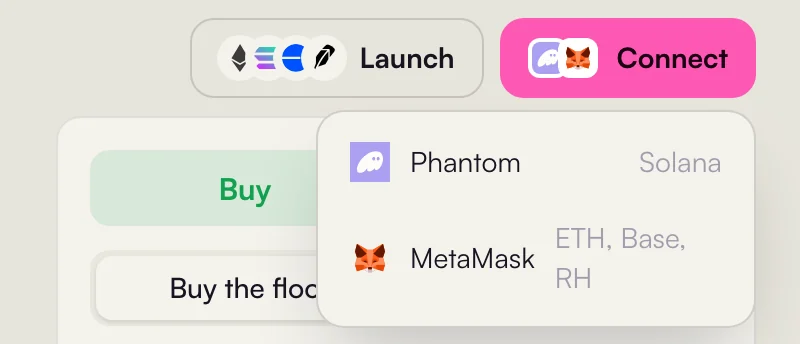
- 1Phantom for Solana.
- 2MetaMask for Ethereum, Base and Robinhood Chain.
Set up your profile
Open the menu under your name and choose Edit profile. Everything is optional.
| Field | Rules |
|---|---|
| Name | 2 to 24 characters: letters, digits, dots, dashes, underscores or spaces. Names are unique, ignoring case. |
| Picture | PNG, JPG, WEBP or GIF, up to 2 MB. |
| Bio | One line, up to 160 characters. |
Where your name shows up
- On every thesis you post and on your avatar on the floor chart.
- In the position window that opens when someone clicks you.
- On your public page at
/u/your address, with your positions and your thesis. - On the trader leaderboard and in the feed. Wallets without a mints profile show their OpenSea name on the EVM chains, or the short address.
What to read next
Start with Discover and collection pages to learn the collection page, then Buying. If you came to launch, go straight to Launch a coin with a collection.